... I'm tired D:
After that week I am just not used to getting up for 9am :p
Anyways-
Things to think of today..
-Paper/Log type work
-Play with Bear in game
-Work on main menus
-Work on credits
...
However, for the time being, I'm going to work on getting the Xbox controller to play the game-

To get the Xbox controller working without any existential coding I'm just going to use a program called JoyToKey- a very handy bit of software that allows you to select buttons from your keyboard and mouse and use them on an Xbox controller. Tip, invert the axes and you get the options shown on this xbox controller image.

The right analogue stick was moving the camera a bit fast-which would be great for me, but awkward for people who don't usually play games (so artsy people coming to our exhibition to look at paintings and the likes)- so I played around with the speed settings and ending up reducing it from 80 to 40.

It might still be a bit fast for some folks though, so I'll ask people in college who don't usually play games to test out the controls, if they can at least move without spazing at the floor, then we're making some progress.
After asking a few people it seems the controls are fine- one girl who's never played an fps in her life managed to navigate her way down the stairs and towards the clips. Confusion came with the red and green buttons, though after noticing the control has red and green buttons.. it should be fairly explanatory.
However I may change that to make things easier for folks.


Spend the rest of the day getting feed back from various students, also feed back from a group crit.
The feed back was very helpful and contributed to various possible ideas and alterations, such as this Bear scene I was working on.

Originally it was going to be floating, now I decided it would work best as a still object, it will also work as a block- during play through, people kept getting back tracking after the second clips because of the sudden switch in direction. The player was moved to face slightly more to the left after the clip to stop players going right, and the bear was implemented to stop players from going the wrong way.
TUES
Today I worked on the main menu screen. Previously I showed works on the image for the menu screen, now I was editing quick cut scene for after the play button is pressed.

Resident Evil menu intro sound.
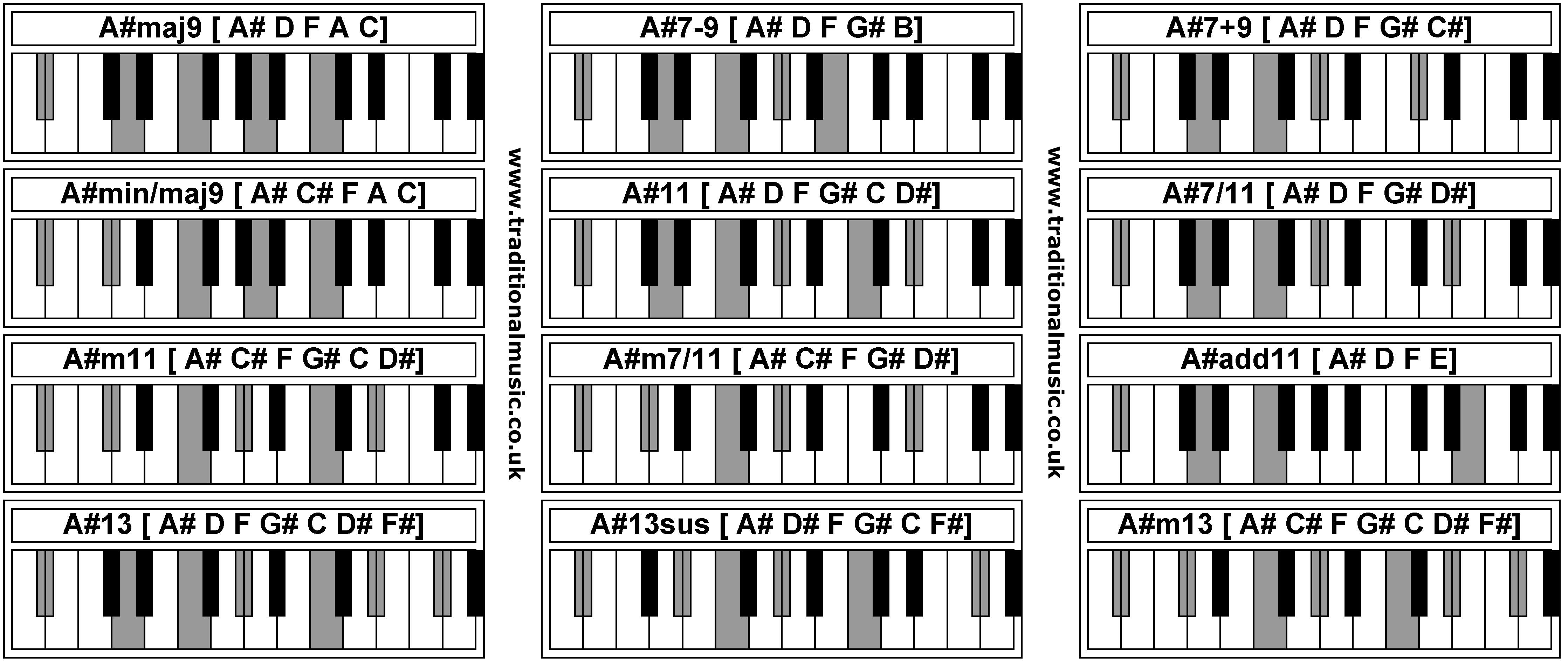
I used the second piano chord on that list, recorded it then emailed it to myself.
This is the menu screen from Resident Evil which inspired my menu screen.
(YouTube videos don't appear when Blog is printed).
(YouTube videos don't appear when Blog is printed).
After play it simple says the name of the game in a deep ominous voice along with a sudden mix of sounds- in the rang of a ''DUM'' kind of sound- so perhaps a drum and some cymbals?

I said the chosen name for this game, Trapped, in various tones and imported them into Vegas to edit things.

I then added Sonys Glow effect to play as the sound is happening.

This was set to fade out slowly, but then becomes interrupted by random tones from that chakra sound 3 times (given a more intense slow during.

The short time this tone plays, the camera zooms into the image of the ghost as close as it would let me go.

I really like this effect as it comes out like a Orb- A random white light commonly associated with ghosts.

It then repeats this clip 3 times before returning to normal for a second-

This rest is quickly disturbed by the sudden appearance of the ghosts face after another zoom in-

The face was also given a high glow as not to show to much of this limited clip.

I wasn't happy with the orbs positioning though, so I played around with the idea of making it appear in different parts of the screen- so left, top right, centre, scary face.


Eventually I decided to just keep the orbs centre as the clip is fairly short and I think it would be more effective- this cycle of repeat is reminiscent of the ''trip'' people get from dying with a bad or ignorant perception. Islam suggests that if you kill yourself- say you slit your wrists- you will repeat the feeling of that moment for infinity. This is also a similar concept to The Grudge (Onry - Japan) suggesting someone dying with a strong emotion- herbs such as Salvia can emulate this feeling also.


The clip then ends with a static image. After this I tried to imagine how the game would then start and how the transiion from this title screen to the game would make people feel.. I though to give it a few second delay using a blank screen. I then thought a loading screen would break up the scenes nicely, however Blender doesn't require a loading screen, so I just made one in Photoshop and animated it at the end of the clip.

I typed it out like so and used this old image of the Neb Bear to look up at the loading dots.
This also uses repetition as that particular bear image is used to mark the Games section of my website (www.nebcomics.com)
I then added a Photoshop effect to the bear image alone so it didn't look so badly cropped (this was a traditional image which didn't have a perfect transparency around the outlines)


I added a shine to it then film grain effect after removing all the Black on that image.

I animated this by hiding the dots and saving them in a sequence.

This was dragged back into Vegas and rendered as a PNG sequence.

WED
This is were things start to get frustrating. Though I used video clips for all of the scenes in the game, I once tried to animate the ghost girl image on a plane using the PNG sequence option.
However I couldn't get this working very well, which is why everything was switched to mp4 video files rather than image.

Anyway, I thought I'd give the PNG sequence another try and went through the process from the tutorial videos again. Flat plane, face camera, zoom out and UV image that plane.

I was then a little stuck as I couldn't get the image sequence playing, so I back tracked to the video files and attempted to copy the coding.

It was not working out, I couldn't get the image to appear on the plane! I later found that was because iI forgot to switch to texture mode..

Using the same logic as the in-game videos, I set the video in and started working on the buttons.

I used the text option in Blender and typed out START GAME and EXIT using Weltron Urban font (same font used in the Neb Comics logo- a font which I have always just seemed to use)


I had a but if trouble getting the fonts color to change but eventually I worked it out. It wanted me to select the newly converted mesh from the bottom to change the material for some reason.

So like magic it all worked out okay. The video plays fine and after the clip it takes you to the first game scene. Now I can apply the same or similar atributed to the credits later.
http://www.pond5.com/sound-effect/21937652/flickering-neon.html
THURS
Set up computers for exhibition - issues rendering as exe - credits


While I was setting up the two desktop computers in the dark room, I tried exporting the game as an exe (which is what it will run as once it's ready to play) however this just raised more problems. Blender was searching for old textures I wasn't using and when I told blender where those textures folders had been moved to, it just kept finding new things to bitch about. I think I'm going to have to consult with Gary and see why this is being such an ass. The problem was caused due to unorganized folder placement from the start, which I'm afraid was unavoidable for this project. It's a lesson for next time though.

Anyway, the rest of the day/night I just worked on the credit sequence. I typed out all those who are due credit and tried to to present it as professionally as I could.
This was done using the credit scroll option in Sony Vegas.

Getting the layout right was more trial and error as it's been a while since I've used this feature.

I got everything pretty much drafted, now to sleep!
FRI
College clean up all day - got back home to work on props and fix endings
After college I done some heavy grafting in Blender to import and texture the rest of the furniture models.


The bed had always caused the most problems as it would show through the covers, revealing the bottom frame, however I seen this issue once in Play mode, then it kind of just... Fixed itself. I have no idea why or how but it's behaving so I'm just gonna leave it be for now.

Also, as a little nod to Gary for all his support during this project, I added a little Easter egg in the game.

To texture this cup, the model had to be stripped right down and only the area I wanted to pattern on was given the uv map.


The rest of the cup was given the pink background

Now my Pony cup is looking pretty good. It wasn't textures perfectly as there are still some issues trying to get the picture and the blank color to match, however this problem won't be seen so I won't waste too much time on it.

I then went to add my comics in once again link however, this time I was ready and sorted the spine and made the inside white to look like pages.. Also I used a thicker book for the Beckii cruel project.


Next up, the table. This was just given a brown material.

Then another comic was re worked.
It takes a lot of effort to texture anything to a decent quality in Blender, so you gotta appreciate all the work I'm putting in here. It doesn't look like much, but it's not just playing around, it's time consuming, very frustrating work.

Then the Bear was placed on the bed.
I still want this beer to follow the player around the room, but only if I get time.

The bear was added on a plane then a selection of the bears shape was worked around it to give it more freedom.

The bear was also placed behind an invisible wall placed in every "corridor" scene to stop the players from going the wrong way. During play throughs at college, I found people often went the wrong way after the second video, so I but a block to that issue.

This is how it appears I'm game.
He was originally going to float up and down, but this looked a little weird as it's clearly just one picture of a bear.

Also the clock.

I haven't textured the clock yet, but in play mode I notised the number markers need texturing individually... However I kind of like how the clock looks different every time you enter play mode.

It's kind of dream like, as clocks in dreams never make any sense, so... I dunno. I'll leave it for now and maybe texture it later.

I then gave the Neb comics logo a quick edit so it could be used at the end of the credits.
All I did was add .com and but it on a wider canvas.

Now using the animation function in Vegas (explained in previous posts) I can animate the logo scrolling up after the credits! With that in place, all I need is music... But what?
I didn't want to use copyrighted material as I feel this is too lazy and would be a bit shameful given the work the rest of this project had taken.. I want it to be original, you know,

I wasn't sure what song to use, but I wanted to do a ukulele cover of whatever it would be. At first I played around with IZ's version of A Wonderful World/Over the Rainbow, so I learnt the chords and done a quick recording of me preforming the first vers.. It didn't sound so good.

Out of ideas I searched through my old recordings to see if there's anything I could edit. I pictured cheesy music at the end to confuse the player and lighten up the mood, so I dragged a ukulele cover of Giggle at the Ghistly (from my little pony) over to my ipad to edit it.
To edit this, all I did was change the key, now it doesn't sound as horrible. Also, this song turned out perfect for the end of this game. The lyrics tell you to laugh at the fearful, and I had this awesome ending extra where I say ""ha ha ha" while the ghost sounds and static sync, then the credits end with one final play of that ghost girl.

Originally I changed the pitch of the song in vegas which seemed to corrupt the track, however I tried using a screen capture software to lazily avoid changing it... But it didn't work, the quality was just awful so I had to edit this again and change the pitch in Garage Band.

It seems to be working now ;)

But not in the game D:<

I must be missing something, so I double checked the coding by copying the pattern from a scene that works (by works I mean plays the clip and the sound when it should) hut no... It's just not playing!

It's stressing me out, so I'll come back to this problem later.
(EDIT: It works now, the image set to the material was named wrong, that's why it wasn't working)

For now I just done some finishing touches on the chairs in the bed room and tried adding sound to the stairs, also the neon flicker sfx I edited to play after the second doors open..

The stairs... They had to be coded one by one!
Just look at this list of logic bricks, it's a nightmare! It's like 4am now, but I just want to get this over with so I stayed up and edited every single

Horrible, drooling, painstaking

Logic brick to each step... aaaaand, done! Good night! D: zzzzzzzzzzzzzz
SAT
I started today off calm as I knew this was going to be another stressful day in Blender, so I organized my Desktop :)

Now, all that's left is the video cut scenes for the end of the game.
There are 4 sedate cut scenes, each ranging from good to bad, which is illustrated either by that ghost animation shown before and a short scene of the camera running towards a light.

The running scene was captured on Blender using a simple process, moving the camera towards a door animation revealing a bright light. Then a wobble effect was added to the camera and that file was saved as a png sequence, then that sequence was imported to Blender.

The ghost animation was placed in two scenes, both varied by different sound clips used in either the voice clips I edited from Simon, and the ghost girls sound.

Alternately the player runs towards the door, one instance gets a glimps of the ghost, then runs free towards a bright light as it comes closer to the screen.

All these methods have been explained in more detail over previous posts.
SUN
Sunday I took the day to get out the house and catch an early night for the college trip tomorrow.
All that needs left to do is the triggers for Simons voice and the camera bobbing animation.
Ukulele tabs-
1:08
https://www.youtube.com/watch?v=1PiscVZSuEE
http://tabs.ultimate-guitar.com/i/israel_kamakawiwoole/somewhere_over_the_rainbow_what_a_wonderful_world_ver2_ukulele_crd.htm
http://www.azlyrics.com/lyrics/israelkamakawiwoole/overtherainbow.html

No comments:
Post a Comment